Pawsome Resort System Requirements: PC Specs & Performance
Pawsome Resort system requirements for PC, including minimum and recommended specs, performance notes, and Early Access caveats.
Last verified: 2026-06-24
Before you check into Pebble Town, make sure your PC can run Pawsome Resort. Below are the Pawsome Resort system requirements from public sources, plus performance notes and Early Access caveats to keep in mind.
System requirements are sourced from the official Pawsome Resort Steam store page and the game's press materials.

Minimum System Requirements
The minimum specs are the baseline needed to launch and play Pawsome Resort at lower settings.
| Component | Requirement |
|---|---|
| OS | Windows 10 |
| Processor | Intel Core2 Duo E6400 or AMD Phenom X2 |
| Memory | 4 GB RAM |
| Graphics | NVIDIA GeForce GTX 460 1GB / AMD Radeon R7 240 1GB |
| DirectX | Version 11 |
| Storage | 2 GB available space |
These specs are modest. Most modern PCs and laptops with integrated graphics should exceed the minimum requirements.
Recommended System Requirements
The recommended specs should deliver a smoother experience at higher settings.
| Component | Requirement |
|---|---|
| OS | Windows 10 |
| Processor | Ryzen 3 3300X |
| Memory | 6 GB RAM |
| Graphics | RX 480 8GB |
| DirectX | Version 11 |
| Storage | 2 GB available space |
With the recommended hardware, you can expect stable frame rates, faster load times, and room to enable higher-resolution pixel art rendering.
Performance Notes
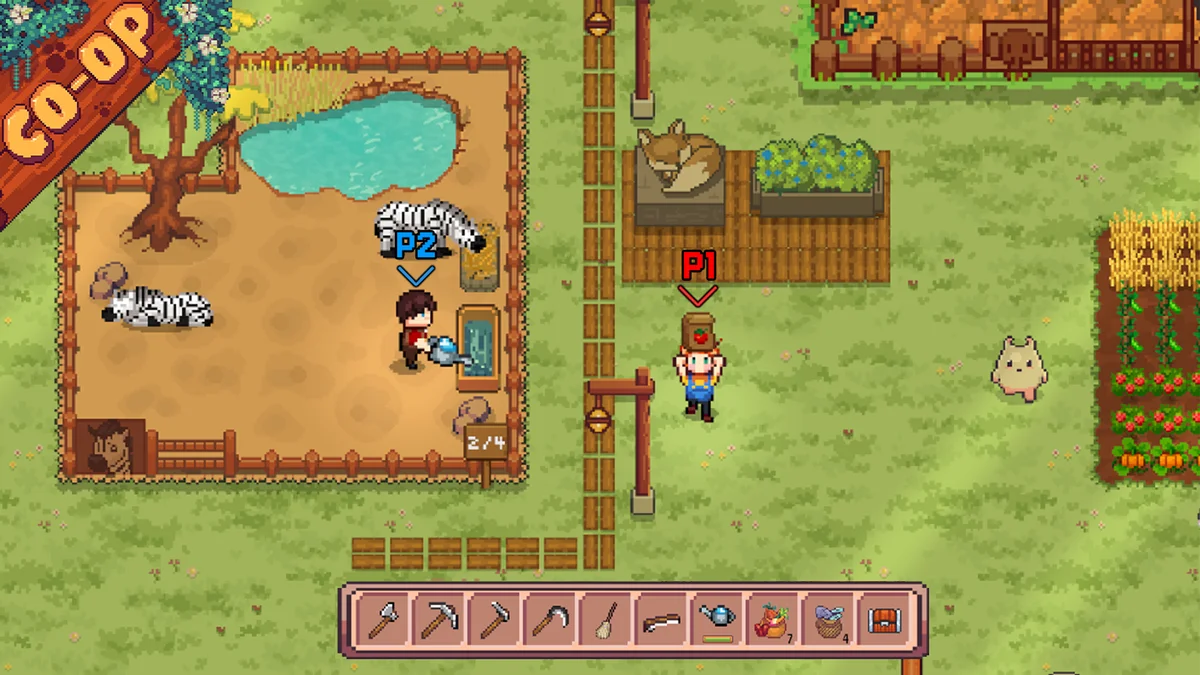
Pawsome Resort is a pixel-art cozy life sim. The art style is not demanding, but the game still benefits from a few performance habits.
Frame rate and resolution
Because the game uses pixel art, running at a high resolution with pixel-perfect scaling often looks best. If your monitor has a non-standard resolution, try fullscreen or check the in-game display settings for scaling options.
Storage
The install size is only 2 GB, but Early Access updates can add patches over time. Keep at least a few gigabytes free on your drive so updates install without issues.
Background applications
Close heavy background apps before playing, especially on a system near the minimum specs. Web browsers, streaming software, and recording tools can reduce frame rate in CPU-bound areas.
Controller support
The Steam store page lists full controller support for Pawsome Resort. You can play with mouse and keyboard or use a controller. If you prefer a controller, check the in-game settings or configure it through Steam Input.
Early Access Caveats
Pawsome Resort entered Steam Early Access on June 22, 2026. Early Access games often receive frequent updates that change performance characteristics. Keep these points in mind:
- Save compatibility is not guaranteed. Back up your save files before major updates, especially if patch notes warn about save resets.
- Bugs can affect performance. If you experience stuttering or crashes, check the Steam community hub or official channels for known issues.
How to Check Your PC Specs
If you are not sure how your PC compares, follow these steps on Windows:
- Press Win + R, type
dxdiag, and press Enter. - The System tab shows your processor and memory.
- The Display tab shows your graphics card.
- Compare the values to the tables above.
Troubleshooting Common Issues
The game will not launch
- Update your graphics drivers.
- Install the latest DirectX runtime from Microsoft.
- Verify the game files through Steam.
- Run the game as administrator if permissions are blocking it.
Low frame rate
- Lower the resolution or disable V-Sync if the option exists.
- Close background apps.
- Make sure your PC is using the dedicated graphics card rather than integrated graphics.
Crashes during gameplay
- Update Windows and your GPU drivers.
- Lower graphics settings.
- Disable overlays such as Discord or Steam Overlay temporarily.
- Check the Steam forums for patch-specific crash reports.
Where to Buy
Pawsome Resort is available on Steam with App ID 3759220. You can add it to your wishlist or purchase it directly from the store page.
If your PC meets at least the minimum requirements, you should be able to start building your resort in Pebble Town. For more help getting started, see the Pawsome Resort Beginner's Guide.